

Night vision is one of the most important features of any CCTV security system. It allows cameras to capture clear footage even in complete darkness, helping protect homes, offices, shops, warehouses, and parking areas during nighttime hours.
However, many users experience situations where their CCTV camera works perfectly during the day but fails to provide clear images at night. The screen may appear completely dark, blurry, washed out, or filled with glare.
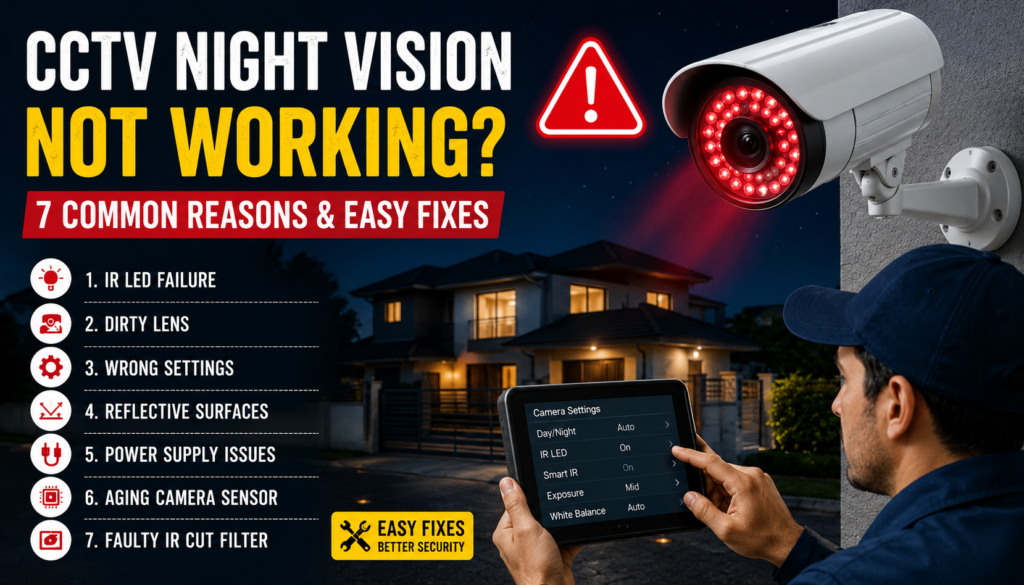
If your CCTV night vision is not working properly, don’t panic. In most cases, the issue can be diagnosed and fixed without replacing the entire camera. This guide explains the seven most common reasons behind night vision problems and how to solve them.
If you are using a cctv camera in jaipur, these troubleshooting steps can help ensure reliable surveillance throughout the night.
How CCTV Night Vision Works
Before troubleshooting, it helps to understand the basics.
Most CCTV cameras use infrared (IR) LEDs positioned around the camera lens. When ambient light drops below a certain level, the camera automatically switches to night mode and activates these IR LEDs. The camera then captures images using infrared light that is invisible to the human eye.
When any component in this process fails, night vision performance suffers.
1. IR LED Failure
One of the most common causes of night vision issues is malfunctioning IR LEDs.
Symptoms:
- Completely dark night footage
- Camera works fine during the day
- No visible red glow from IR LEDs in darkness
How to Check:
Turn off surrounding lights and observe the camera. Many IR LEDs emit a faint red glow when active. You can also view the LEDs through a smartphone camera, which may reveal infrared light more clearly.
Fix:
- Restart the camera.
- Check power supply voltage.
- Inspect wiring connections.
- Replace the camera if IR LEDs have failed permanently.
In older cameras, IR LED failure often occurs after years of continuous operation.
2. Dirty or Obstructed Camera Lens
Dust, dirt, spider webs, and water spots can significantly affect night vision quality.
Symptoms:
- Blurry images
- Hazy night footage
- Excessive glare around lights
Why It Happens:
Infrared light reflects off dirt and debris on the lens, creating a foggy appearance.
Fix:
- Clean the lens with a microfiber cloth.
- Remove spider webs and insects.
- Wipe away dust and water stains.
- Inspect the protective camera housing.
Regular cleaning can dramatically improve night image clarity.
3. Incorrect Day/Night Settings
Many users accidentally change camera settings, preventing proper night vision activation.
Symptoms:
- Camera remains in color mode at night.
- IR LEDs never turn on.
- Poor visibility after sunset.
Fix:
Access your DVR, NVR, or camera settings and check:
- Day/Night Mode
- Auto Switching
- Infrared Settings
- Smart IR Configuration
Set the camera to “Auto” mode so it automatically switches between day and night operation.
4. Reflective Surfaces Causing IR Glare
Reflective surfaces near the camera can interfere with infrared illumination.
Common Reflective Objects:
- Glass windows
- White walls
- Metal surfaces
- Polished tiles
- Signboards
Symptoms:
- Bright white spots
- Washed-out images
- Reduced visibility
Why It Happens:
Infrared light bounces back into the camera lens, causing overexposure.
Fix:
- Reposition the camera.
- Adjust the viewing angle.
- Move reflective objects if possible.
- Use external IR illuminators for better coverage.
This issue is particularly common when cameras are mounted behind glass windows.
5. Insufficient Power Supply
Night vision requires additional power because IR LEDs consume electricity.
Symptoms:
- Night vision activates intermittently.
- Camera restarts at night.
- IR LEDs flicker.
How to Check:
Measure power supply output and compare it with camera requirements.
Fix:
- Replace faulty power adapters.
- Check cable quality.
- Use proper voltage ratings.
- Avoid excessive cable lengths.
Poor-quality power supplies are a frequent cause of CCTV night vision failures.
6. Damaged or Aging Camera Sensor
The image sensor plays a critical role in low-light performance.
Symptoms:
- Grainy footage
- Poor image quality at night
- Reduced brightness despite active IR LEDs
Why It Happens:
Over time, exposure to heat, moisture, and environmental conditions can degrade sensor performance.
Fix:
- Update camera firmware.
- Reset camera settings.
- Replace the camera if sensor damage is severe.
If your camera is several years old, upgrading may be the most cost-effective solution.
7. Faulty Infrared Cut Filter (ICR)
Modern CCTV cameras use an Infrared Cut Filter (ICR) to switch between daytime color recording and nighttime infrared mode.
Symptoms:
- Camera stuck in day mode
- Strange color shifts
- Clicking sounds without switching properly
How to Check:
Observe whether the camera changes modes when lights are turned off.
Fix:
- Reboot the camera.
- Restore factory settings.
- Replace the ICR mechanism if damaged.
A malfunctioning IR cut filter can completely disable night vision functionality.
Additional Tips to Improve CCTV Night Vision
Even when your system is working correctly, you can improve nighttime performance with these tips:
Install Additional Lighting
Low-level LED lighting can significantly improve image quality while maintaining security.
Use Smart IR Technology
Modern cameras automatically adjust infrared intensity to reduce glare and overexposure.
Trim Vegetation
Tree branches, leaves, and plants can reflect infrared light and create unwanted shadows.
Upgrade to Starlight Cameras
Advanced starlight cameras provide superior low-light performance compared to traditional IR cameras.
When Should You Replace the Camera?
Consider replacement if:
- IR LEDs have permanently failed.
- The image sensor is damaged.
- The camera is more than 5–7 years old.
- Repair costs approach replacement costs.
Newer CCTV cameras offer better night vision, higher resolution, and improved energy efficiency.
Final Thoughts
If your CCTV night vision is not working, the problem is often caused by IR LED failure, dirty lenses, incorrect settings, reflective surfaces, power supply issues, sensor damage, or a faulty infrared cut filter. By systematically checking each of these areas, you can restore clear nighttime surveillance and ensure your property remains protected around the clock.
For professional troubleshooting, installation, or upgrades, consult experts providing cctv camera in jaipur services. If you’re considering replacing an older system, compare the latest features and cctv camera cost in jaipur to find a solution that offers reliable night vision and long-term security.